

Who it is for
For people getting started with their own account.How to open
Dashboard › Credits and plans/dashboard?tab=settings
Screens and features
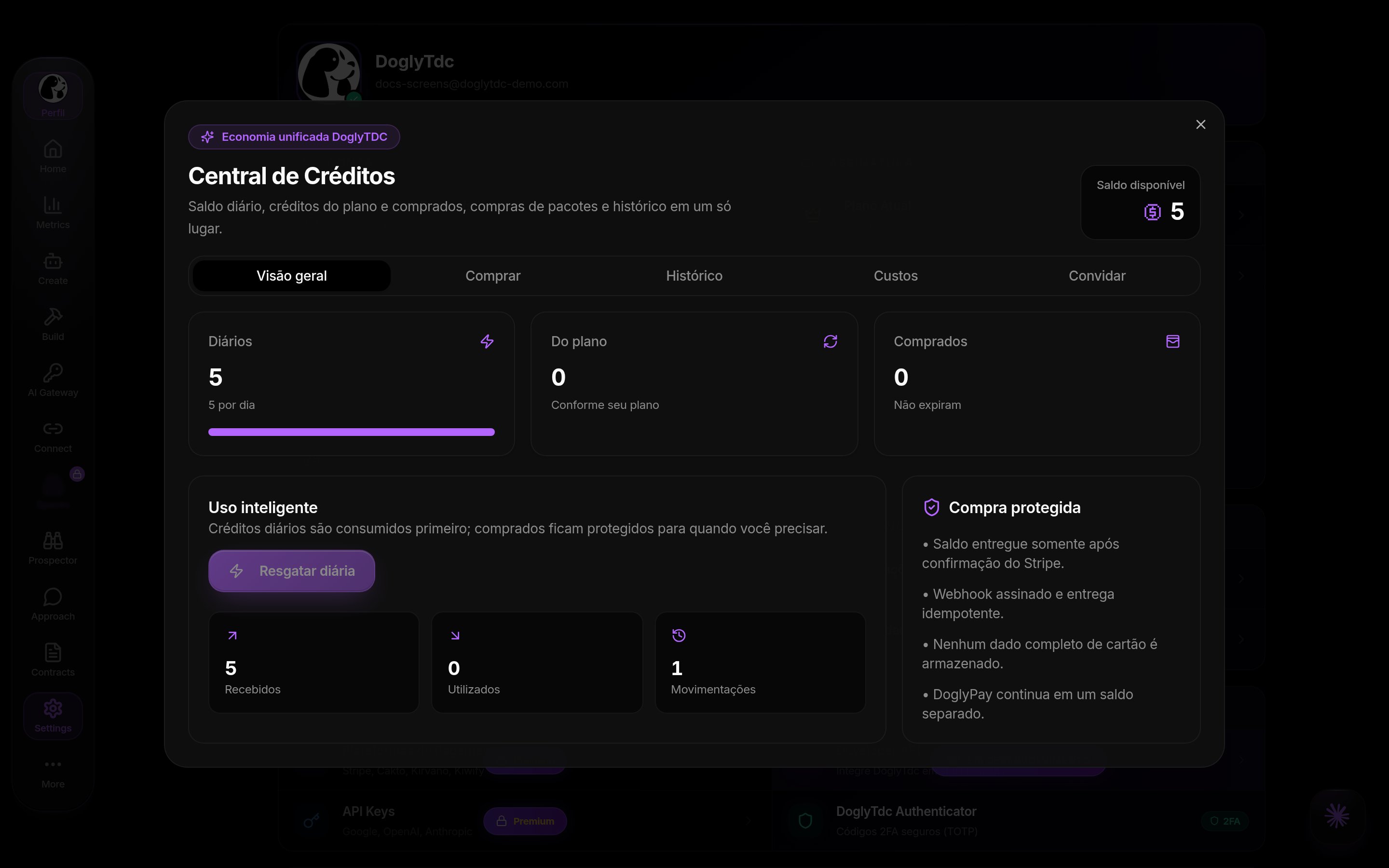
Credits and plans in DoglyTdc
Balance and allowances
The Credits Center separates daily, plan and purchased credits. Daily credits are used first; purchased credits do not expire. Pay is separate. Free shows 5 daily; checkout lists 10 for Premium and 30 for Business. Check the effective account allowance.1
Open the center
Go to Settings › Credits to open the Credits Center.
2
Read the balance
In Overview, see the available balance split into Daily, Plan and Purchased.
3
Claim the daily credits
Use the daily claim when available; if you already claimed, the center says today’s credits were already claimed.
Buy
Packages: 250 for R$399/US$75; 750 for R$1,199/US$225; 2,000 for R$3,190/US$600; 5,000 for R$7,990/US$1,500. Select BRL or USD and wait for payment confirmation.1
Open Buy
In the Credits Center, open the Buy tab.
2
Pick a pack
Select BRL or USD and one of the one-off packs.
3
Pay
Complete the payment and wait for confirmation; purchased credits never expire.
History
History loads up to 50 recent entries with description, date and amount. List totals are not necessarily lifetime totals.1
Open History
In the Credits Center, open History.
2
Read the statement
Each row shows the description, date and amount for top-ups, purchases, bonuses and usage.
3
Interpret it
The list shows the 50 most recent movements, not the account total.
Costs and invites
Custos contains text, image, voice and tools, with search, filters and simulations. AI costs vary by model and actual usage. In Convidar, copy the link; do not assume an immediate reward.1
Open Costs
In the Credits Center, open Costs and choose Text, Image, Voice or Tools.
2
Simulate
Use search and filters to see the estimated cost of each resource.
3
Invite
In Invite, copy your invite link and share it.
Plans and checkout
Current plans are Free, Premium and Business. Premium with 20 credits starts at R$25/month or US$5; annual R$240 or US$48. Business with 20 starts at R$119/month or US$25; annual R$1,200 or US$252. Selection goes up to 10,000. Annual billing covers 12 months, not just the monthly equivalent. PIX and Saldo only where offered.1
See the plans
Open See plans (or Settings › Subscription) and compare Free, Premium and Business.
2
Pick cycle and credits
Choose monthly or yearly and the plan’s credit amount.
3
Pay
Complete checkout with the offered method. The plan changes once payment is confirmed.
Credits and limits
Browsing and editing your profile do not spend credits. Tool actions may use your balance.Permissions
Sign in to edit your data. Spaces and Workspaces require Premium or higher for ordinary access.Common errors
Frequently asked questions
Do I need a subscription?
Do I need a subscription?
Browsing and profile editing do not require a subscription; tools may require plans.
Are Pay and credits the same?
Are Pay and credits the same?
No. They are separate balances.
Does a shortcut unlock access?
Does a shortcut unlock access?
No. Permission checks still apply.
Related
Create account
Create your account, confirm your email, recover your password and finish the welcome setup.
Account and profile
Edit your name, @, photo and presence, and see what your public profile shows.