

Summary
Connect organizes Cakto and Kiwify accounts, products, subscriptions, and sales received through integrations. It also lets you link products to contracts and monitor webhook setup. Data depends on integration responses and incoming events.Who it is for
- People tracking Cakto or Kiwify offers and sales.
- People linking products to contracts.
- People checking subscriptions and webhook health.
How to open
Open Connect in the dashboard. The?tab=connect entry opens connect:overview.
Internal screens use connect: followed by the screen identifier.
Screens and features
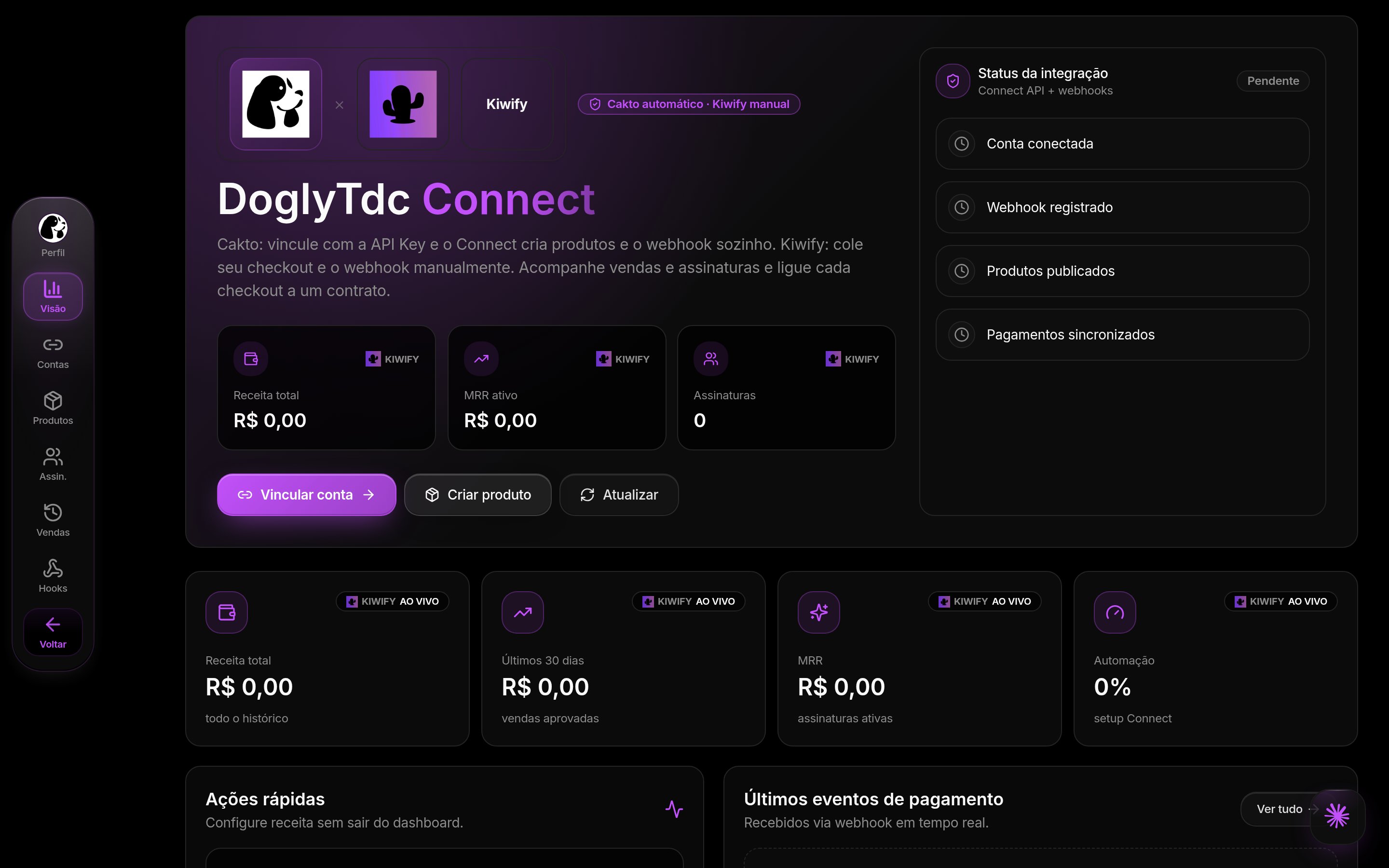
Connect in DoglyTdc
Overview
Inoverview, review revenue, recurring revenue, account, product, and subscription indicators.
The view includes recent sales and the connection’s update status.
If loading is partial, some data may be missing; refresh before drawing conclusions.
Accounts
Inaccounts, link and review Cakto or Kiwify accounts.
Cakto uses an API Key and attempts to create the webhook automatically.
If the key is validated but the webhook remains pending, use Recreate webhook.
Kiwify requests Token, API Secret, and Webhook Secret; its setup is not automatically verified.
1
Link the account
Choose Cakto or Kiwify and complete the requested fields.
Check the result before considering setup complete.
2
Prepare the webhook
For Cakto, check whether the webhook was created or needs recreating.
For Kiwify, create a webhook with the provider and paste the URL from Connect’s Webhooks tab.
3
Check incoming data
Use the test or validation actions and review the account status.
For Kiwify, the first incoming notification confirms the webhook; validation does not automatically check with the provider.
Products
Inproducts, choose an active account and enter a name, price, description, and available billing cycle.
For Cakto, the flow requests product and offer creation with the provider.
For Kiwify, it registers a checkout you already created; its URL is required.
You can open or complete checkout, link an eligible contract, and remove that link.
Deleting a product removes it from Connect.
For Kiwify, it remains with the provider and must be deleted there separately.
For Cakto, the flow also attempts to remove it from the provider where possible.
Subscriptions
Insubscriptions, review the customer, product, status, MRR, and reported next cycle.
Use search, the status filter, and the option to load more results.
Subscriptions appear as creation or renewal events arrive through the webhook.
Sales
Insales, review synchronized sales and events.
Use the available filters and search to find records, and load more results when needed.
Check each record’s status: a pending sale is not confirmed revenue.
Automation and webhooks
Inautomation, labeled Webhooks, copy each account’s incoming event URL.
Check webhook status, last synchronization, last event, and any displayed errors.
Cakto uses automatic registration; Kiwify requires manual webhook setup with the provider.
Validate reviews the integration but does not replace that manual Kiwify step.
Credits and limits
The screen does not show a credit charge for linking an account or viewing lists. MRR and sales amounts are integration financial indicators, not your DoglyTdc credit balance. Lists load in pages; use the load-more action to continue browsing.Permissions
Use Connect in an authenticated dashboard session. Enter credentials only in the account forms. Review the account and affected data before confirming unlinking or deletion. Share checkout and contract links only with appropriate recipients.Common errors
Frequently asked questions
Does unlinking erase my history?
Does unlinking erase my history?
No. Products, sales, and subscriptions remain saved.
Delete everything is a different action with its own confirmation and no undo.
Is Kiwify validated automatically?
Is Kiwify validated automatically?
No. Configure the webhook manually with the provider.
The first incoming event confirms webhook receipt.
Does linking a product to a contract prove payment?
Does linking a product to a contract prove payment?
No. The link makes billing available within the contract context.
Check the financial status of events separately.